
The problem
A customer had a job that needed to run every morning on a Windows Server. Staff were running it by hand, so it was missed whenever they were away and ran at a different time each day. That led to follow-up support requests and made a routine task unreliable.
What we found
- The task depended on a person remembering to run it
- Run times varied, so anything relying on its output was inconsistent
- Missed runs were turning into avoidable support tickets
What we did
- Wrote a PowerShell script to carry out the task and log the outcome of every run
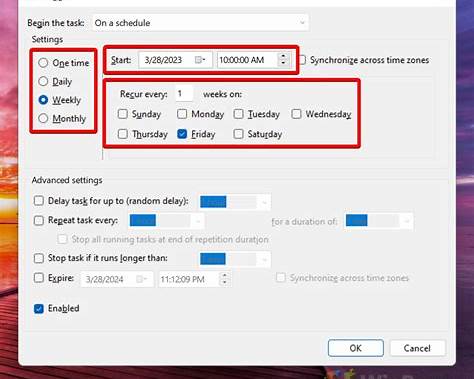
- Scheduled it in Windows Task Scheduler to run daily at 7:00 AM
- Set it to run under a dedicated service account, whether or not anyone is logged in, with the rights the task needs
- Confirmed it ran on schedule and checked the log after the first runs
The script and task registration, with customer-specific details removed:
# daily-task.ps1 (sanitised: customer-specific steps removed)
$log = 'C:\Logs\DailyAutomation.log'
try {
    # ... customer-specific task runs here ...
    Add-Content -Path $log -Value "$(Get-Date -Format s) Completed"
}
catch {
    Add-Content -Path $log -Value "$(Get-Date -Format s) FAILED: $($_.Exception.Message)"
    exit 1
}
# Register the task: daily at 07:00, dedicated service account,
# runs whether or not anyone is logged in
$cred = Get-Credential 'DOMAIN\svc-dailytask'
$task = @{
TaskName = 'Daily Automation'
Action = New-ScheduledTaskAction -Execute 'powershell.exe' -Argument '-NoProfile -File "C:\Scripts\daily-task.ps1"'
Trigger = New-ScheduledTaskTrigger -Daily -At 7:00am
User = $cred.UserName
Password = $cred.GetNetworkCredential().Password
RunLevel = 'Highest'
}
Register-ScheduledTask @task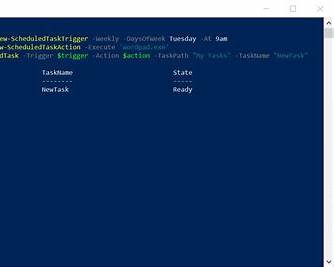
The result
The task now runs every morning without anyone touching it. Missed runs have stopped, and no further support requests have been needed for it since it went live.
What to take from it
If a task happens on a schedule, it shouldn’t depend on someone remembering it. A logged, scheduled script running under its own service account is quick to build and removes a steady source of errors and tickets. This is the kind of work we pick up alongside a client’s existing IT provider.