
The problem
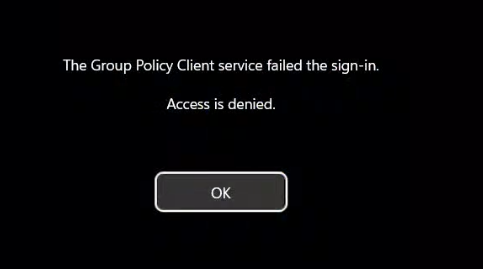
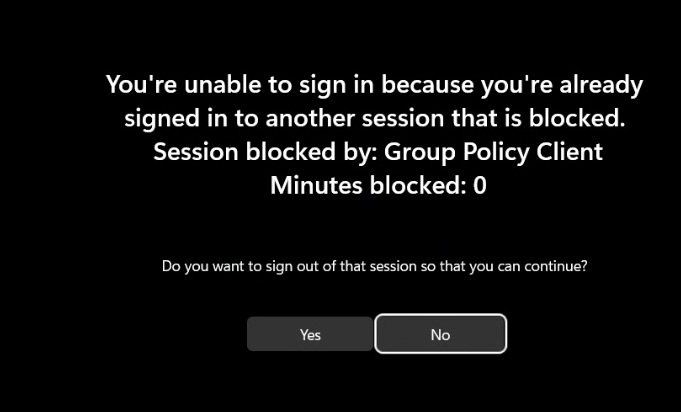
Several remote staff at a US healthcare provider could not sign in to their Azure Virtual Desktop (virtual Windows desktops hosted in Microsoft Azure) session host. Users saw an error saying their session was blocked by the Group Policy Client service, followed by an access denied message. Other staff logged into the same host normally, and restarting the virtual machine did not clear the issue.
What we found
- Affected users signed in normally on other session hosts in the pool, isolating the fault to a single machine
- The session host was joined to Entra ID (Microsoft’s cloud identity service), where local profiles are named after each user’s display name
- Leftover local FSLogix (profile container software for virtual desktops) cache folders remained on disk from earlier sessions that had disconnected uncleanly
- Automatic local profile cleanup settings in FSLogix were disabled, forcing Windows into a temporary profile folder and blocking Group Policy processing
What we did
- Placed the affected session host into drain mode in the Azure portal so no additional users were routed to it during troubleshooting
- Tested affected accounts on another session host in the pool to confirm their remote profile containers and cloud identities were healthy
- Audited the host’s local disk, Windows registry, and cached Group Policy folders with PowerShell to locate orphaned profile remnants
- Removed the affected users’ registered local profiles and deleted nine leftover FSLogix local cache folders from the system drive
- Verified the host’s Entra ID device registration status and enabled FSLogix registry flags to delete conflicting local profiles and clean up invalid sessions automatically
The result
The affected session host was cleared of orphaned profile folders, its cloud join health was verified, and automatic FSLogix profile cleanup is now active. The host is ready to return to service, and the same cleanup settings are ready to roll out across the remaining session hosts in the pool.
What to take from it
When a virtual desktop sign-in error affects only a few users on one host, test those accounts on another host before rebuilding anything. Enabling automatic local profile cleanup in FSLogix prevents leftover cache folders from blocking future sign-ins after an unclean disconnect.